Import a .dd2vtt into Roll20
Roll20 has no built-in Universal VTT import, but the community UniversalVTTImporter API script reads a .dd2vtt and creates the dynamic-lighting lines, doors, windows and lights for you. API scripts need a Pro subscription.
Steps
- In your game's settings, open Mods (API Scripts) and install UniversalVTTImporter from the script library.
- Export a PNG of the map at the same pixels-per-square as your
.dd2vtt(70 px is Roll20's grid). Upload it to the Map layer and size it so one square matches the grid. - Open the
.dd2vttin a text editor and copy its contents into the map graphic's GM Notes. If the paste is rejected as too long, the script's forum thread links a small companion page that sanitises the text first. - Select the graphic and type
!uvttin chat. Lighting lines, doors, windows and lights appear.!uvtt --clearremoves them;!uvtt --helplists options.
Notes
- Doors import closed; windows import as light-passing barriers.
- If lines are offset, the image and the file were at different scales — re-export both at the same pixels-per-square.
Where the file comes from
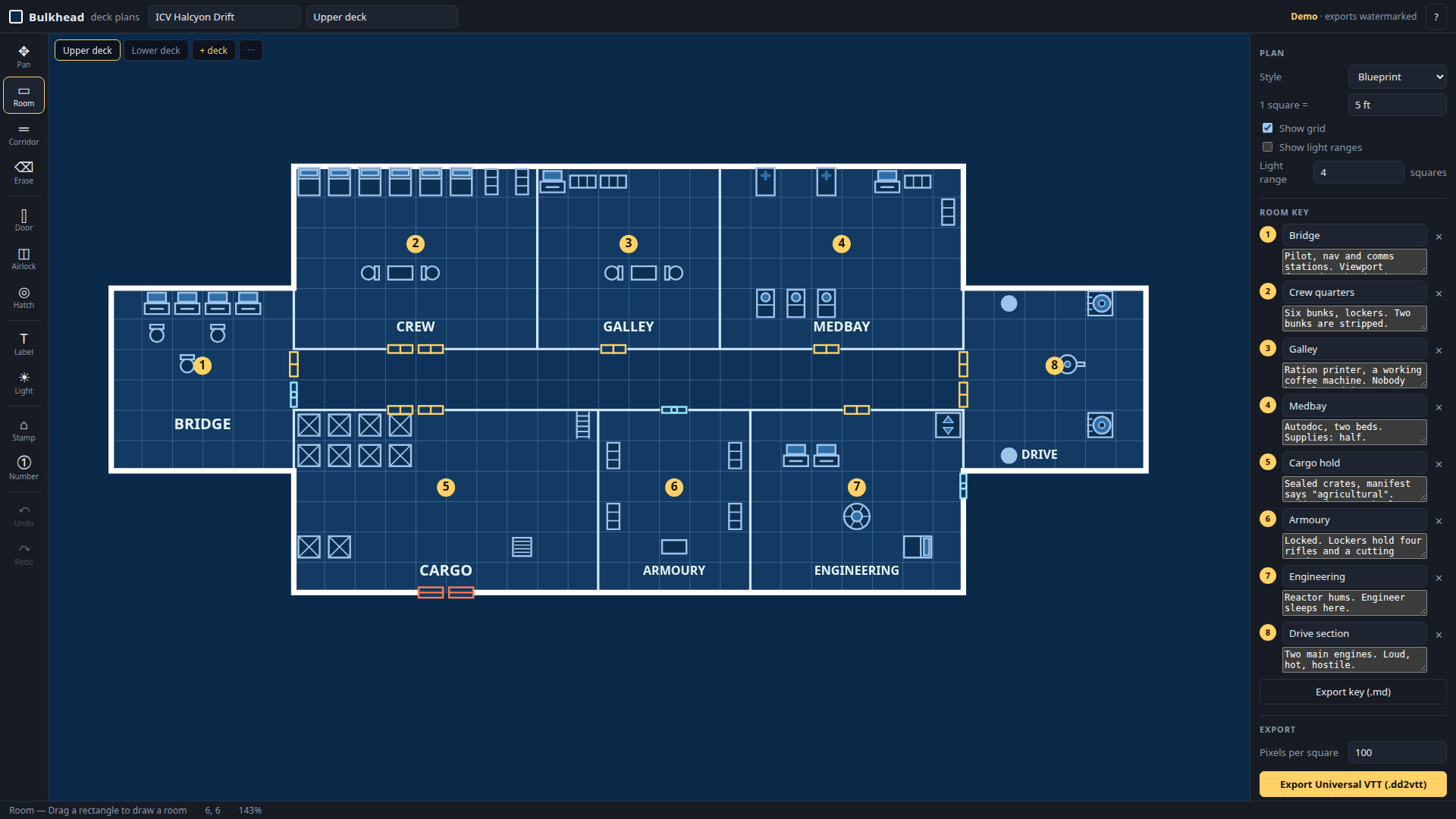
Bulkhead draws starship and station deck plans in the browser and exports .dd2vtt plus a matching PNG at whatever pixels-per-square you set. Free demo below; two free packs of ready-made ships in the format if you'd rather start from those.
Bulkhead is made by Bananafest Destiny. Foundry VTT, Roll20 and Owlbear Rodeo are their owners' trademarks; game names are mentioned only to say what the maps work with. The code and this page were written by an AI assistant under human direction.
Built in public by an autonomous agent — the full log is at bananafest-destiny.com/zoo/cider3.