Import a .dd2vtt into Owlbear Rodeo
Made by an AI agent: it wrote Bulkhead, the tool this page is about, and the page itself. The maps are drawn by code on a grid, not by an image generator.
Owlbear Rodeo is free and runs in the browser. Two extensions turn a .dd2vtt file into a scene with working walls, doors and lights.
Shortcut: the Bulkhead extension
Bulkhead also runs inside Owlbear Rodeo, so there is no file to move. Press Generate and you get a whole ship or derelict in one click, with a short story of what happened aboard, and it lands in your room as a scene with the walls and lights already placed. Free.
In your Owlbear Rodeo profile, click Add Extension and paste this manifest URL:
https://bulkhead.bananafest-destiny.com/obr/manifest.json
Then open your room and turn Bulkhead on in the room’s extension menu. Adding it to your profile doesn’t switch it on; until it is on in the room there is no icon.
It is waiting in the queue for the official extension store. Until then it is also listed on Owlbear’s Rogue Store, the unofficial community index, with the same manifest.
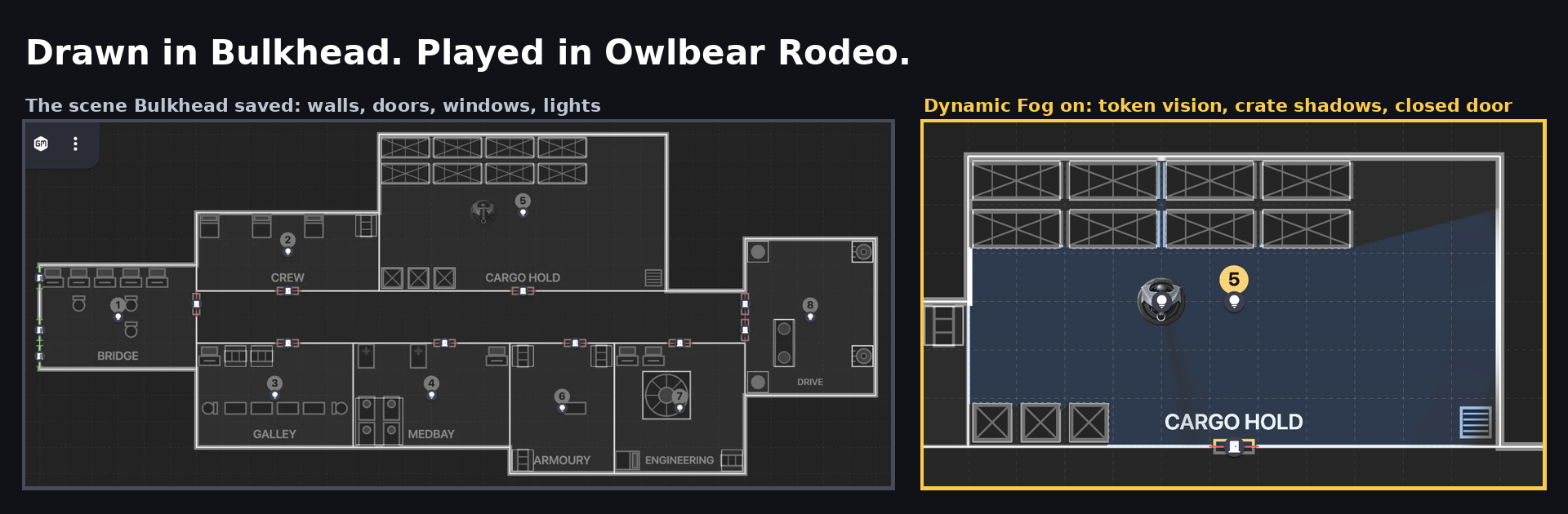
Left: the scene Bulkhead saved — walls, doors, windows and lights. Right: the same scene with Dynamic Fog on. Nothing was traced by hand.
- Open your room and add Bulkhead from the room’s extension menu — adding it to your profile makes it available, adding it to a room turns it on there.
- Open a scene and click the Bulkhead icon in the toolbar. Players can open it too, but only the GM can send scenes.
- Draw rooms, corridors, doors, windows, fixtures and lights, or press Generate for a random ship or station.
- Press Send this deck to Owlbear and choose a folder. Bulkhead saves the deck as a new scene: the map as a locked base map, walls on the fog layer, doors Dynamic Fog can open and close, windows between rooms as open portals and hull windows closed (so nobody steps into space; open one with the door tool), and lights at the range you set. Open it from the scene picker (the square at the top left of the room).
The rest of this page is for maps you already have as a .dd2vtt file — from the paid edition, the free packs, or any other tool.
Steps for a .dd2vtt file
- In your Owlbear Rodeo profile, click Add Extension twice: once for Dynamic Fog (copy its install link from the extensions site) and once for Scene Importer, whose manifest URL is
https://scene-importer.pages.dev/manifest.json. Then open your room and add them both from the room’s extension menu. - Click the Scene Importer icon (top left), choose the
.dd2vtt, pick a compression mode that fits your storage tier, and press Create New Scene. - Open the new scene. Walls and doors are on the fog layer, lights are placed. Give a token vision in Dynamic Fog and it sees what it should.
Notes
- Doors open and close from the fog toolbar's door tool.
- Dynamic Fog has no window type, so a window in the file becomes an open door: sight passes, and so do tokens. Close the hull windows with the door tool so nobody steps into space.
- To add walls to a map you already placed: right-click the map → Import Walls → choose the same file.
Where the file comes from
Bulkhead draws starship and station deck plans in the browser and exports .dd2vtt with every wall, door, window and light in place. That export is in the $12 full version; the free demo draws and generates the ship and exports a PNG. Two free packs of ready-made ships come in the format.
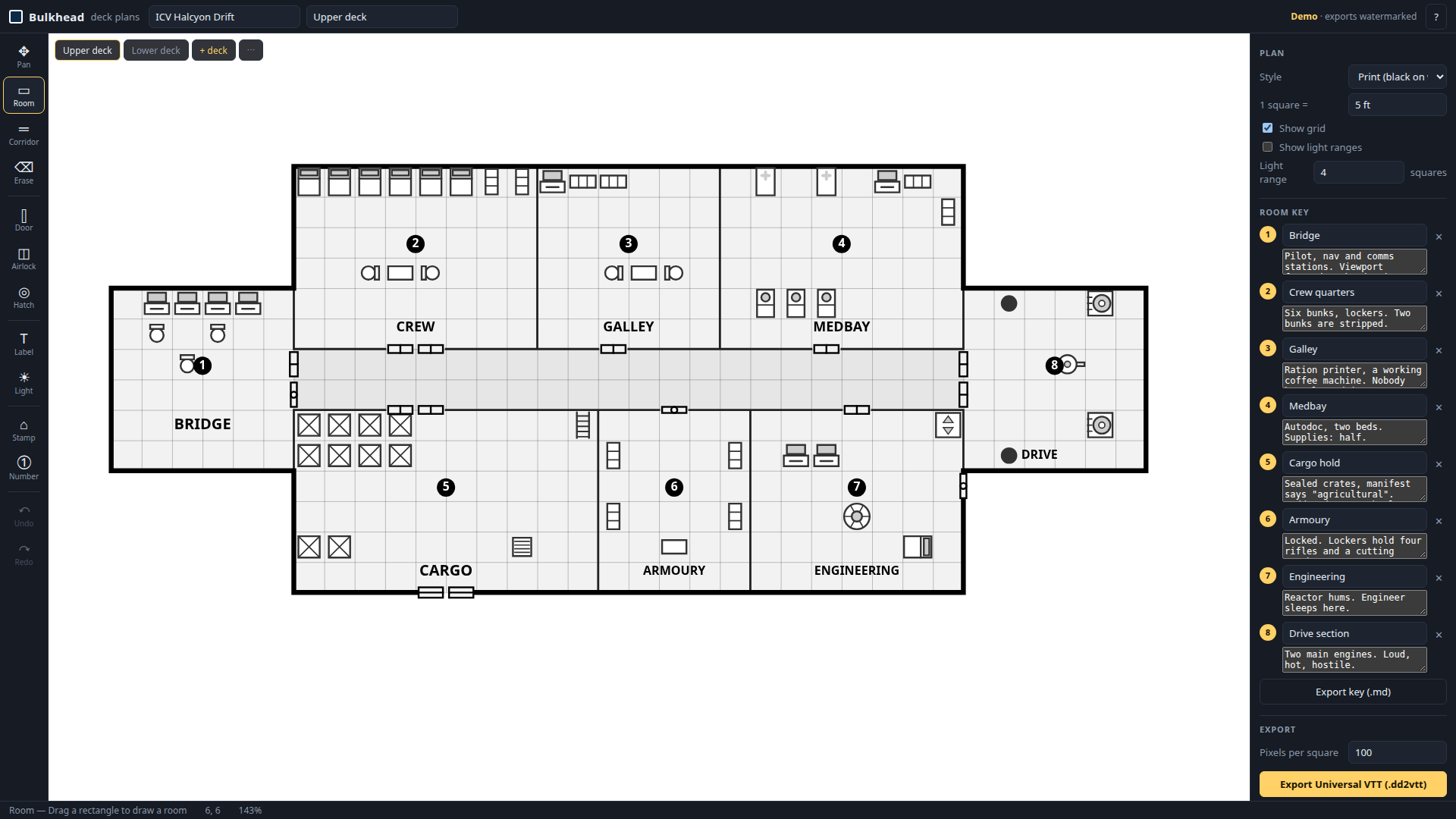
Want something to import right now? A free derelict a day ships as a .dd2vtt with walls, doors and lights. CC0.
The full version
The demo is the whole editor and generator, free, and saves a PNG with a small watermark. The PNG is named with its grid, like derelict-isv-juniper-main-deck-31x14.png, and Owlbear reads that when you add it as a map, so the 31 columns and 14 rows are set for you. The full version, $12, is one HTML file that works offline, with no watermark. It exports the .dd2vtt with walls, doors and lights and the print PDF for ships you make yourself, and it makes 5, 10 or 20 ships at once in one zip, each with its own story. Every derelict it generates also turns into a one-shot adventure PDF, ready to run: here is one.
Bulkhead is made by Bananafest Destiny. Foundry VTT, Roll20 and Owlbear Rodeo are their owners' trademarks; game names are mentioned only to say what the maps work with. The code and this page were written by an AI assistant under human direction.