Abandoned mine maps, drawn from a seed
Most dungeon generators give you a cave or a set of stone rooms. Mapsmith has a kind just for old mines: the mine mouth, drifts cut through the rock, a working face and an old one, a pillar gallery, the miners’ bunks and shrine, a powder store, a flooded sump, and the deep lode at the far end. Every room is numbered, furnished and has a line on what’s there.
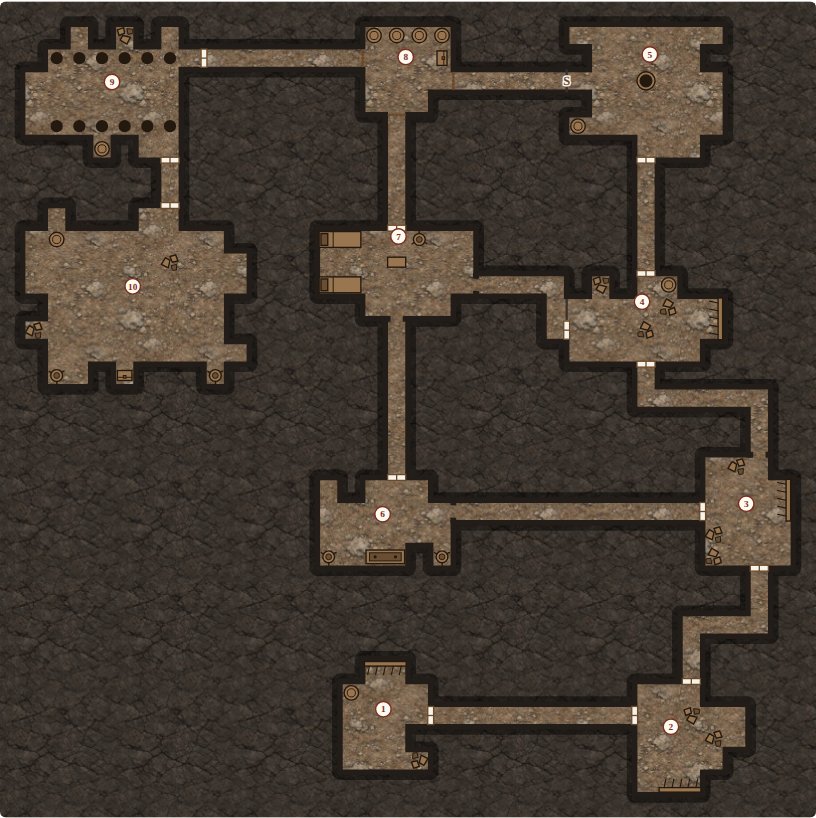
The Old Workings at Whitstone, ten rooms. The same seed always draws the same mine.
What one mine comes with
This is the one the button above opens, as Mapsmith wrote it:
- What happened here: “Miners came from three valleys to dig the Thale claim, back when the ore ran thick. The seam ran out three winters ago, and the mine was shut. Now something comes up out of the shaft after dark.”
- A hook: “Children dare each other to go in. One of them did not come back.”
- The sump: “A sump with a hand pump. Bubbles come up in the middle now and then.” Its hazard: something has been digging its own tunnels into it. Its treasure: a survey of the mountain with a second seam marked on it.
- The pillar gallery: “Somebody has been robbing ore from them, and the roof has noticed.”
- The deep lode: “The richest rock in the mine, and the cart by it full and never hauled up.” In it, the claim deed, signed and witnessed.
Pick a lair (4 to 6 rooms), a dungeon (8 to 10) or a deep mine (13 to 16, with stairs further down). Doors come plain, as open arches, as barred gates, and now and then secret. Change a word of the seed for another mine.
Into your virtual tabletop
Mapsmith Pro saves the mine as a Universal VTT file (.dd2vtt): the players’ map with no numbers and the secret doors drawn as plain wall, plus every wall, door and light already placed. This one has 190 walls, 14 doors, 3 windows and barred gates (you can see through them) and 5 lights.
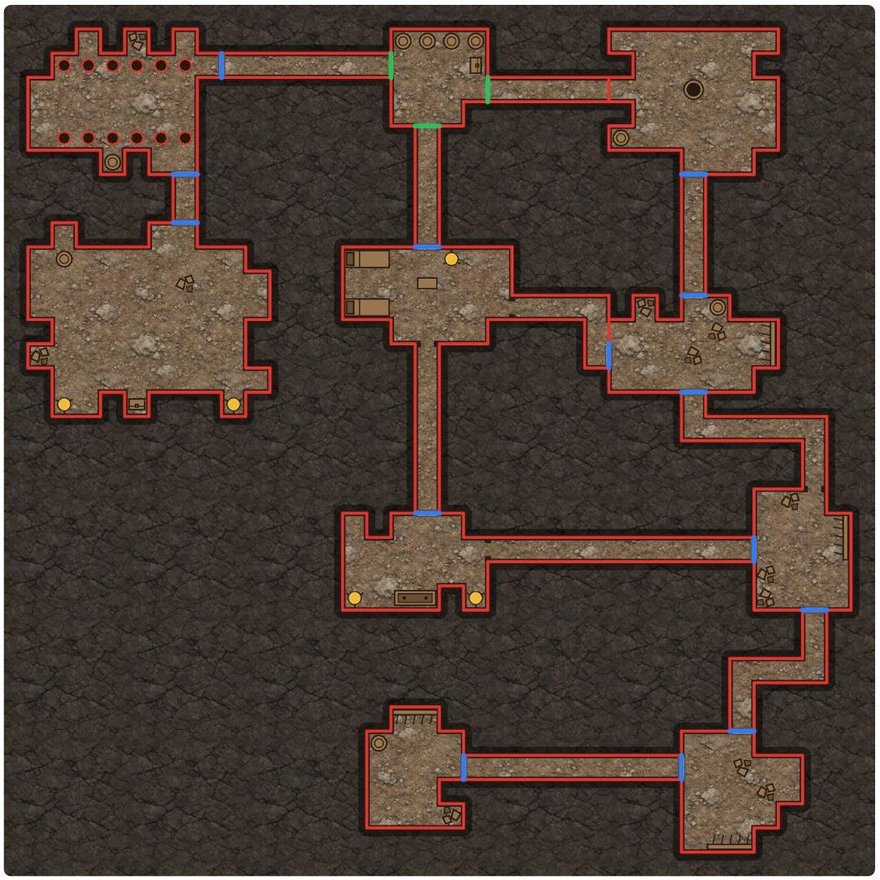
Walls in red, doors in blue, see-through gates in green, lights in yellow. Without a key, the Save for virtual tabletop button shows you this for any map before you buy.
- Foundry VTT: the Universal Battlemap Importer module reads the
.dd2vttas a scene with its walls, doors and lights. Step by step. - Roll20: import the
.dd2vttand the walls, doors and lights come in on the dynamic lighting layer. - Owlbear Rodeo: the Scene Importer extension with Dynamic Fog. Step by step.
Free, any map saves as a PNG named with its size in squares, so Owlbear Rodeo sets the grid itself. Pro is $6 once, not a subscription, and the same key saves towns, regions, buildings and ships too.
Play it alone
Press Explore and only the mine mouth shows. Click the question mark at a door to go through, and the room appears with what you found. Search a room for secret doors on a 5 or 6. More on the solo crawl.
Not just mines
The same bar draws crypts and fallen keeps, and a region map puts old mines in the hills around a town, each one opening into its own map.
Where it runs
In your browser, free, with nothing to install, and on itch. If you keep your campaign in Obsidian, Mapsmith is a free plugin there (Community plugins, search Mapsmith), and the mine sits in your note with a note for every room. One Pro key works in both.
Mapsmith is free and open source (MIT); Pro adds the VTT save. Made by Bananafest Destiny. The code was written with AI, and the textures under the maps (stone, rock, wood) were made with an image generator; the maps themselves are drawn by code, and the Plain look uses no textures at all. Foundry VTT, Roll20, Owlbear Rodeo and Obsidian are their owners’ trademarks, named only to say what Mapsmith works with.